
PokeVid: AI Video Generator
TOPFX PTE. LTD.Photography
3.014.00 Reviews
- Version
- 1.6
- Installs
- 50.00K
- Age Rating
- Teen
Screenshots


Our Review of PokeVid: AI Video Generator
 Analysis by Appyee
I tried PokeVid: AI Video Generator as a quick way to turn an ordinary image or idea into a short AI-made video, and its appeal is easy to understand. The app is aimed at people who want a result without learning a full editing program. In a shared household, that makes it interesting: one person can prepare a playful clip for a family chat, while another can use the same phone for a completely different creative task. The important question is not whether the concept sounds convenient, but whether the convenience holds up when several people use one device and expectations are different.
This is a free photography app from TOPFX PTE. LTD., although optional purchases range from $2.99 to $99.99 per item. Its store promise is centered on making AI videos with a single tap, but I found the more useful way to think about it is as a fast experimentation tool rather than a replacement for a complete video editor. It can help when speed matters more than detailed control, especially for social posts, greetings, visual jokes, or a quick idea that would otherwise remain only in your camera roll.
How PokeVid fits into a shared household
A realistic example is a family preparing a birthday message. One person has a portrait, another wants a lively visual treatment, and a teenager wants to add something suitable for a group conversation. Instead of opening a timeline editor and spending an evening learning transitions, the household can use the app to explore a quick AI-generated result. That workflow is where the product makes the most sense: the goal is a shareable moment, not a carefully edited production.
I would still keep the creative process organized. On a shared phone, save the original photo separately before experimenting, and decide who is responsible for the final version. AI generation encourages trial and error, so several attempts can quickly become confusing if everyone saves over the same image or sends unfinished clips to the same conversation. A simple naming habit, such as identifying the person and purpose in the file name, is more useful here than treating the app as a complete media library.
The app is also suitable for a household member who does not normally edit videos. A grandparent could turn a favorite photograph into something more animated, while a younger user could create a visual greeting without needing to understand layers, keyframes, or export settings. That accessibility is a genuine strength, but it also means the person using it may not immediately recognize how much interpretation an AI tool applies to an image.
For a shared-device scenario, I would avoid handing over the phone with the expectation that every result is private by default. The practical boundary is the device itself: anyone who can open the app and view the selected media may be able to see what the current user is working with. I would choose images carefully, particularly when the phone contains personal photographs, school-related pictures, or documents captured by camera.
What the first session is really for
My first session with an app like this would not be about producing the perfect clip. I would use it to learn the rhythm of the workflow: choose a suitable image, apply the available generation process, inspect the result, and decide whether it is worth keeping. That approach matters because one-tap creation can make the process feel finished before you have checked whether faces, hands, text, or important details still look natural.
The best starting material is usually a clear image with one obvious subject. A busy household photograph may contain several faces, objects, and competing backgrounds, giving the generator more opportunities to produce an awkward result. If the first attempt looks strange, I would change the source image before blaming the whole app. A clean portrait, a pet looking toward the camera, or a simple outdoor scene gives the visual effect a better chance of being useful.
There is also a hidden trade-off between speed and authorship. A traditional editor lets me decide exactly how an image moves and how long each moment lasts. PokeVid is more attractive when I accept that the app will make many of those decisions for me. That is convenient for casual sharing, but less satisfying when I already have a specific visual idea in mind.
Setup boundaries on a shared phone
Before letting another household member use it, I would explain what the app is being used for and which images are appropriate. This is not a complicated technical rule; it is a sensible boundary. A shared phone often contains photos belonging to several people, and a quick creative experiment should not automatically include private material just because it is visible in the gallery.
I would also establish who can approve a finished clip for sharing. A child may find an unusual face effect funny, while an adult in the same image may not want it posted. Since the app carries a Teen content rating, it is better treated as a tool for supervised judgment in a mixed-age home rather than something to pass around without conversation. The age label does not replace a parent’s decision about which images and destinations are appropriate.
Another useful boundary concerns spending. The app can be installed without an upfront charge, but in-app purchases are available and some individual items can cost as much as $99.99. On a shared device, I would make sure the person experimenting understands that “free” describes access to the app, not necessarily every creative option. I would not let a child explore purchase screens alone, and I would review the device’s purchase safeguards before sharing the phone.
This is especially important because AI tools can encourage repeated attempts. If a result is almost right, users may keep trying rather than stopping after the first generation. That can turn a playful session into an unexpected spending decision. I see this as one of the most important household considerations, even for adults, because the fast workflow makes it easy to focus on the image and overlook the cost of additional options.
Coordinating ideas without losing the original
When several people contribute to one project, I prefer a short verbal plan before opening the app: who is in the image, what the clip is for, and whether the result is meant to be private or shared. This prevents the common problem of someone creating a funny effect for a family group while another person expected a polished birthday greeting.
I would keep the original photograph untouched and treat each generated result as a draft. That simple habit protects the source image and makes it easier to compare attempts. It also helps when one household member wants a playful result and another wants something more restrained. Rather than arguing over which version is “correct,” you can keep both and choose later.
For coordination, PokeVid works best as one stage in a larger routine. The app can produce the visual idea, but a separate messaging or editing tool may still be better for adding a personal note, arranging several clips, or checking the final audience. I would not assume that an AI-generated video is ready for every destination simply because it looks impressive in the preview.
There is a useful distinction between a private experiment and a public post. In a private family chat, an imperfect movement may be part of the fun. On a public account, the same artifact can look careless or misleading. I recommend watching the complete clip before sharing rather than judging it from the still image used to create it. Motion can reveal distortions that are easy to miss in a thumbnail.
Another practical tip is to ask the person pictured for approval before the clip leaves the household. This matters even more when the app is used by a teenager who sees AI effects as harmless entertainment. A person may be comfortable with the original photo but uncomfortable with an altered version circulating among classmates or relatives. Coordination is therefore not just about files; it is about consent and context.
Age, trust, and the limits of automatic creativity
The Teen rating gives families a useful starting point, but it does not answer every question about use. I would focus on the source images, the intended audience, and the user’s ability to recognize an artificial result. Younger users may need help understanding that a convincing-looking video can still be an invented transformation rather than a record of something that happened.
That conversation is particularly valuable when the app is used with photos of other people. A child might think that turning a friend’s portrait into a moving clip is automatically acceptable because the result is humorous. I would set a clear rule: do not use someone else’s face for a joke or share the result without permission. This is a household trust issue, not a feature issue, and no one-tap workflow can solve it.
I also recommend checking every result for unintended changes. AI-generated motion can alter expressions, proportions, clothing details, or the relationship between people in the frame. If the image includes a uniform, a logo, a handwritten message, or a meaningful object, inspect those details before sharing. A result that is amusing at first glance may become confusing when someone assumes it represents the original scene accurately.
For a teenager who wants quick creative practice, the app can be a gentle introduction to visual storytelling. I would encourage them to compare the AI result with a manually edited version made in a conventional video app. That comparison teaches an important lesson: automation is useful for discovering possibilities, while manual editing is better when the creator needs precise timing, consistent style, or control over every element.
Where it beats ordinary photography tools
Compared with a standard photo editor, PokeVid offers a more immediate path from still image to moving result. A conventional editor may provide better control over cropping, color, text, and layout, but it usually asks the user to make more decisions. If my goal is to create a quick visual greeting during a lunch break, the lighter workflow is appealing.
Compared with a full mobile video editor, the difference is even clearer. Timeline-based apps are stronger for combining several clips, trimming exact moments, adding a planned soundtrack, and building a repeatable style. They are also more demanding. I would choose PokeVid for a single visual transformation and a traditional editor for a project that has a beginning, middle, and end.
It also differs from simply applying a filter to a photograph. A filter changes the appearance of a still image, while an AI video generator is intended to create a sense of movement or transformation. That makes the result more engaging in a chat, but it also introduces more room for odd artifacts. The trade-off is not hidden: the more the app invents, the less predictable the final clip becomes.
For household use, this makes PokeVid a complement rather than a universal replacement. One person can create the animated idea, another can add a caption elsewhere, and a third can decide whether the result suits the family audience. If everyone expects the app to handle the entire publishing process, disappointment is more likely.
Performance expectations and everyday friction
The current version is 1.6, and it runs on Android devices using version 7.0 or later. That broad compatibility makes it approachable for households that do not all use the newest phone, but compatibility alone does not guarantee an equally smooth experience on every device. AI creation can be more demanding than opening a normal photograph, so I would avoid starting an important project when the phone is nearly full or when the battery is low.
I would also plan for a little patience during generation. The one-tap idea removes editing steps, but it does not remove the need to review the output. If you are preparing a greeting shortly before leaving for an event, make the clip earlier rather than assuming the first attempt will be the one you send. A quick workflow is still more reliable when it includes time for a second look.
The average rating is 3.0 from around 312 ratings, with 14 written reviews, and that gives me a reason to keep expectations measured. It suggests that the concept may appeal to some users while the experience is not universally satisfying. I would interpret that as a cue to test the app with non-sensitive images first, especially before committing to a paid option or using it for an important family occasion.
The app has passed 50 thousand installs, so it is not an obscure experiment with no audience at all. Even so, I would judge it by the results on my own phone and with my own photos. AI generation is highly dependent on the starting image and the user’s tolerance for unexpected changes, making personal testing more informative than popularity alone.
Who should use it, and who should skip it
I would recommend PokeVid to someone who wants a fast, playful way to animate a photograph and does not want to learn a complex editor. It suits casual creators, family members preparing greetings, and social users who value a surprising visual more than exact control. It is also a reasonable tool for brainstorming: generate a rough idea first, then decide whether it deserves more careful editing elsewhere.
I would be more cautious about recommending it to a professional photographer, a social media manager with strict brand requirements, or anyone producing content where faces and details must remain accurate. Those users need predictable output and repeatable adjustments. A manual editor, or a more specialized video tool with stronger controls, is likely to be the better choice.
I would also skip it for sensitive household images unless everyone involved understands the intended use. The convenience of selecting a picture from a shared gallery can encourage careless choices. Do not use a private document, an intimate photograph, or someone else’s portrait merely because it is available on the phone. Choose material that you would be comfortable showing to the people who will receive the finished clip.
Finally, I would not choose it as the only app for a serious family video project. It can contribute an opening visual, a playful insert, or a memorable transition, but a complete production still benefits from a tool that offers deliberate sequencing and editing. PokeVid is strongest when its limited control is part of the fun rather than an obstacle.
My household verdict
After using it as a quick creative tool, I see PokeVid as a convenient way to turn a still image into a conversation starter. Its value is highest in small, low-pressure moments: a birthday greeting, a family joke, a pet clip, or a visual idea that would be too much work in a full editor. The app’s free entry point makes it easy to try, while the optional purchases mean shared-device users should agree on spending boundaries before experimenting.
My advice is to begin with a simple, non-sensitive image, keep the original safe, inspect the entire result, and decide together who is allowed to see it. Those steps address the main household risks without taking away the playful side of the app. I would also treat the Teen rating as a prompt for supervision and conversation, not as permission to use every image or share every result.
The best reason to install PokeVid is speed with room for surprise, not precision. If you want a polished timeline, exact motion, or dependable control over every face and detail, choose a conventional video editor instead. If you want to explore a photo quickly and create something that feels more alive than a static picture, this photography app is worth trying—provided your household treats the generated clip as an edited creation, protects personal images, and checks purchase decisions before tapping through.
Verdict
Strengths of PokeVid: AI Video Generator
- Turns simple text prompts into short Pokémon-inspired video concepts.
- Useful for quickly creating clips for social media and personal projects.
- AI generation makes experimentation easy without video editing skills.
- Offers a playful format for fans of creature-collection games.
- Can help visualize ideas before producing a more polished video.
Limitations of PokeVid: AI Video Generator
- Generated characters and scenes may look inconsistent between clips.
- Results can vary significantly depending on how precisely prompts are written.
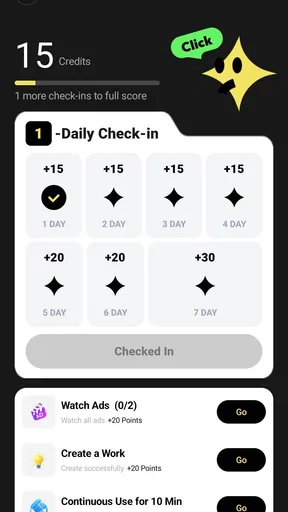
- Some features or exports may require credits, subscriptions, or in-app purchases.
- AI videos may take time to process, especially during busy periods.
- Generated content may have limited originality or resemble existing franchises.
Similar Picks in This Category
View All
Google Photos
Google LLC4.4

Gallery
Google LLC4.2

Picsart AI Photo Editor, Video
PicsArt, Inc.3.9

B612 AI Photo&Video Editor
SNOW Corporation4.1

BeautyPlus-Selfie Photo Editor
PIXOCIAL TECHNOLOGY (SINGAPORE) PTE. LTD.4.5

Remini - AI Photo Enhancer
Bending Spoons4.1
Frequently Asked Questions
What is PokeVid: AI Video Generator?
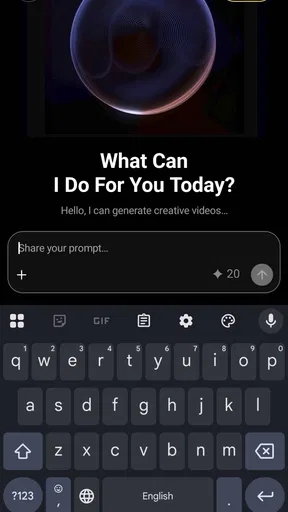
PokeVid: AI Video Generator is an AI-powered mobile app designed to create short videos from text prompts, images, or creative ideas. After testing its main tools, the app appears focused on quick, automated content creation rather than professional video editing. It can be useful for social media posts, animated concepts, character clips, and experimental visuals, although the final result may depend heavily on the quality of your prompt and the selected generation style.
How does PokeVid create AI videos?
PokeVid generally works by allowing you to enter a description, upload an image, or choose a preset concept before starting the generation process. The AI then interprets the request and produces a video automatically. In practice, clear prompts with details about movement, camera style, mood, and subject tend to deliver more consistent results. Generation may take some time, particularly when servers are busy or when creating higher-quality videos.
Is PokeVid: AI Video Generator free to use?
The app may offer free access to selected features, trial generations, or limited credits, but users should carefully review the current pricing information inside the app before creating multiple videos. AI generation commonly uses credits or subscription plans, and advanced effects, longer clips, higher resolution, or faster processing may require payment. Check the app store listing and purchase screen for the latest limits, renewal terms, and available plans.
Can videos made with PokeVid be used on social media?
Videos created with PokeVid can generally be suitable for platforms such as TikTok, Instagram, YouTube Shorts, and other social networks, depending on the export options and the app’s licensing terms. Before publishing content commercially, review PokeVid’s current terms of service to understand ownership, permitted uses, watermarks, and restrictions involving generated characters, music, logos, or copyrighted material. Always avoid uploading content that violates another person’s rights.
What should I know before downloading PokeVid?
Before downloading PokeVid, make sure your device meets the app’s compatibility requirements and that you have a stable internet connection, since AI video generation is usually processed online. You should also expect possible watermarks, generation limits, variable results, and in-app purchases. Read the privacy policy to learn how uploaded images, prompts, and generated media are handled. The app is best suited to users seeking fast creative experiments rather than precise, frame-by-frame editing.
